


16 Location High Contrast Vocabulary
Designed with Visual Issues in Mind
This vocabulary, built in Grid 3, could be used by individuals with Cortical Visual Impairment (CVI) or other diagnoses where high-contrast symbols can be impactful. In addition, the vocabulary has been programmed with auditory cues for each row and each button. This will allow individuals to use their available vision along with auditory scanning.
Features
- Complete Scanning: Instead of saying “Row 1” this vocab is set with a longer scan time to read the cue for each word in the row every time. This gives the user more time to look at the words and more time to listen to each word to make a selection.
- CVI Color Optimization: The buttons on this set are high contrast based on research for the easiest to read colors for CVI.
- Editable Content: This set is ready to use after download but each button can be customized to fit the individual user.
- Built in Support: The Support button allows a caregiver to access tips and tricks for editing this vocabulary.
Below we have examples of what you will find in the 16 Location High Contrast vocabulary!
Download the Vocabulary Set for Grid 3
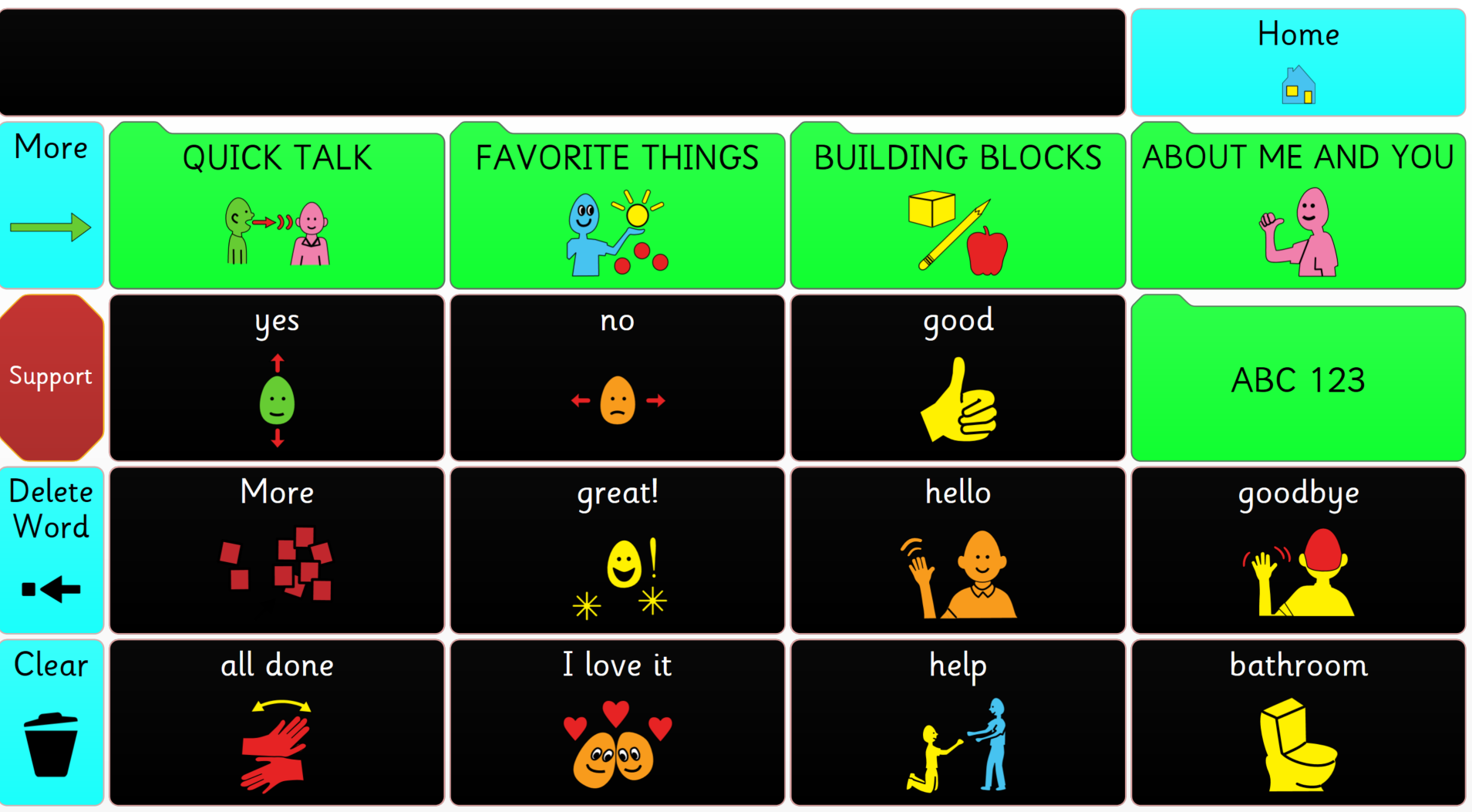
Home Page
The Home Page features 16 buttons with quick messages designed for someone who cannot form complete sentences on their own yet, or when full sentences are not needed.
The Navigation buttons are placed on the left side of the screen, making it faster for scanners to access. In addition to the quick messages on the home page, there are 4 category buttons that allow access to Quick Talk, Favorite Things, Building Blocks, and About Me and You. One additional button links to a keyboard page.
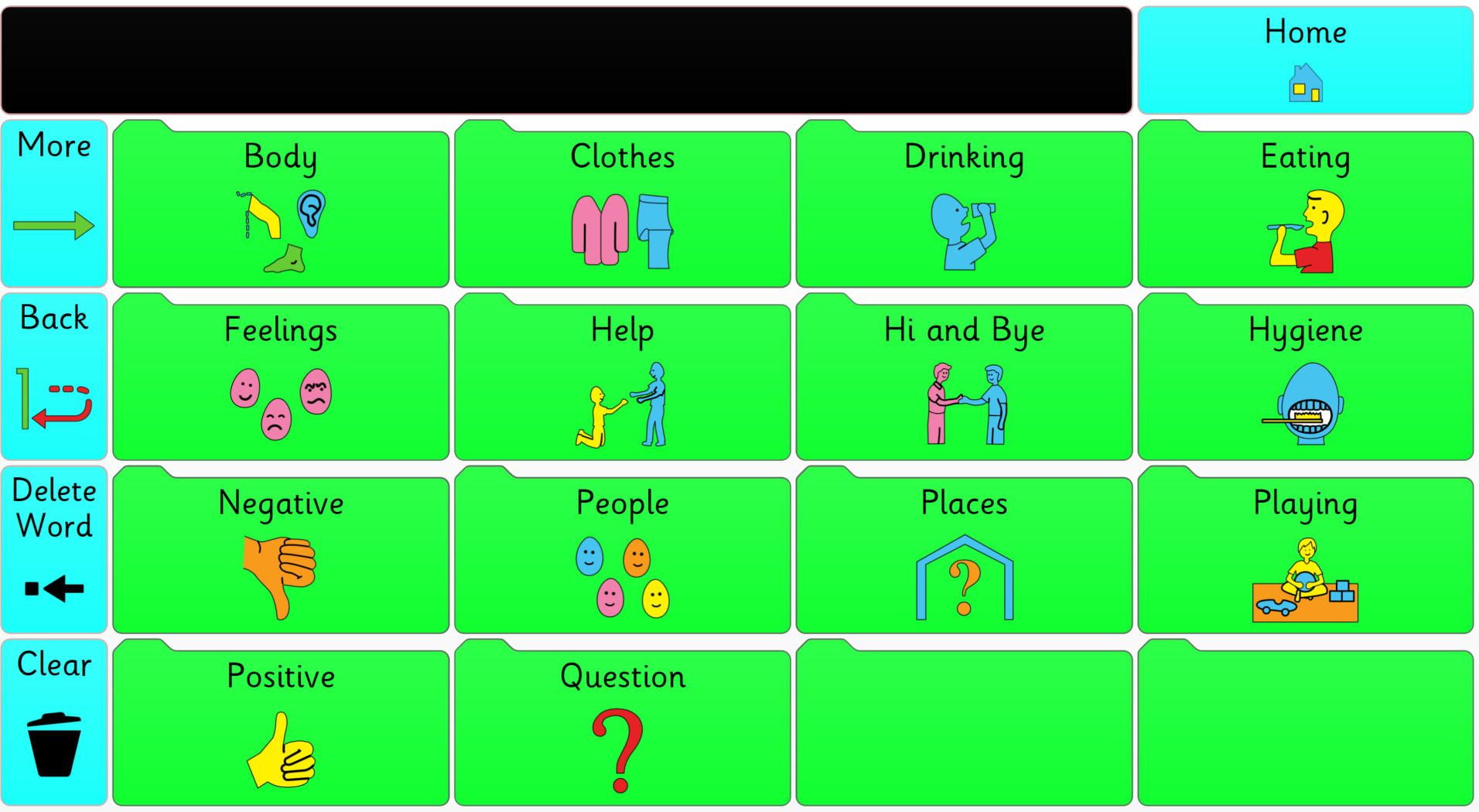
Quick Talk
Quick Talk allows users to go through categories of topics, and then select a button to read a full sentence aloud. This is meant for quick phrases so the user can get their thoughts across quickly and easily.
This area is for those individuals who need the entire sentence, thought or word already on the button.
Favorite Things
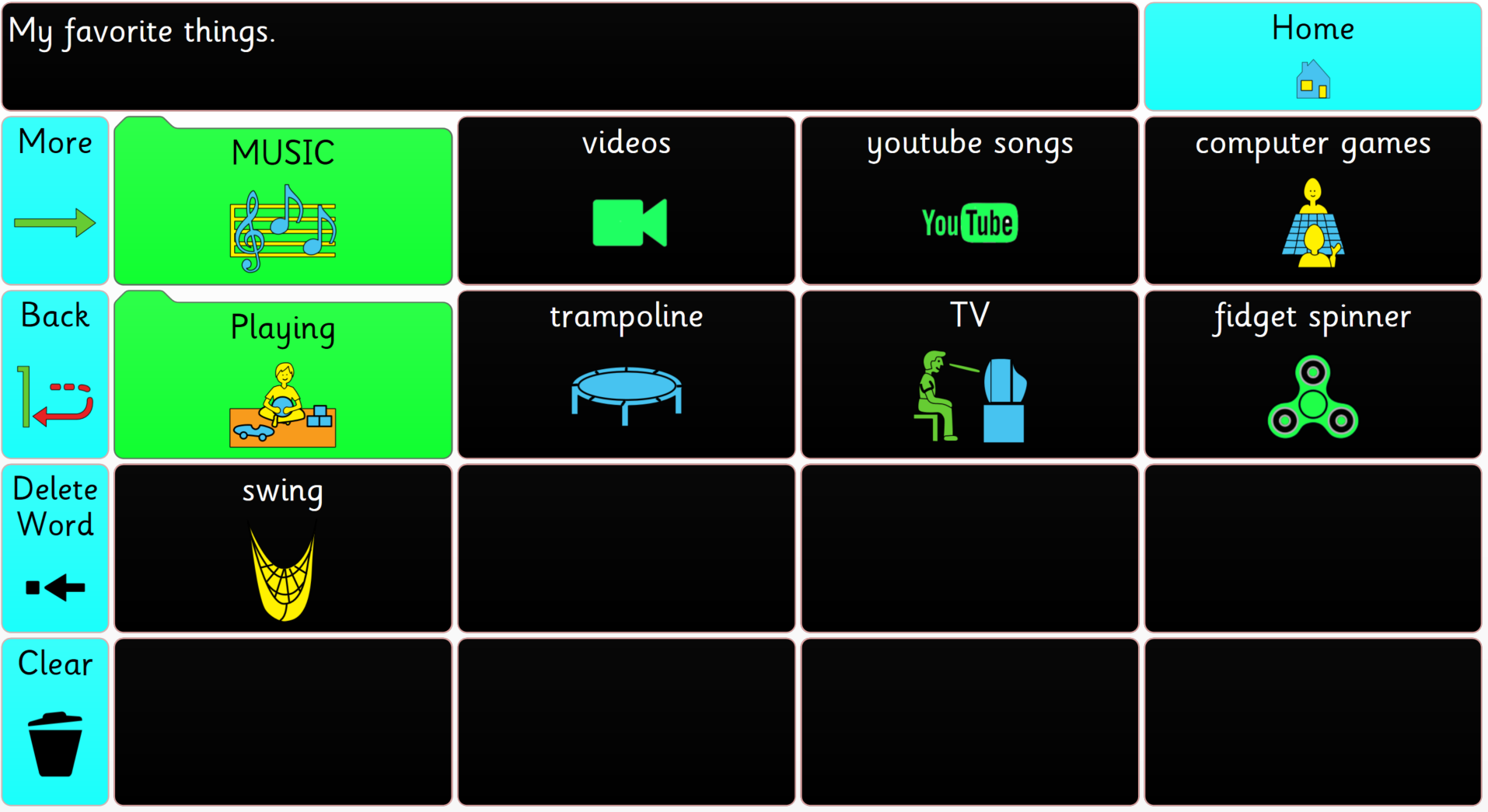
Favorite Things is a place where users can store activities, videos, songs, games, and more. There are several empty buttons to encourage users to input their own favorite things.
These buttons can link directly to YouTube videos of songs, recorded TV shows, or movies. The computer games button links some of the Grid 3 games in one convenient place to encourage learning.
Building Blocks
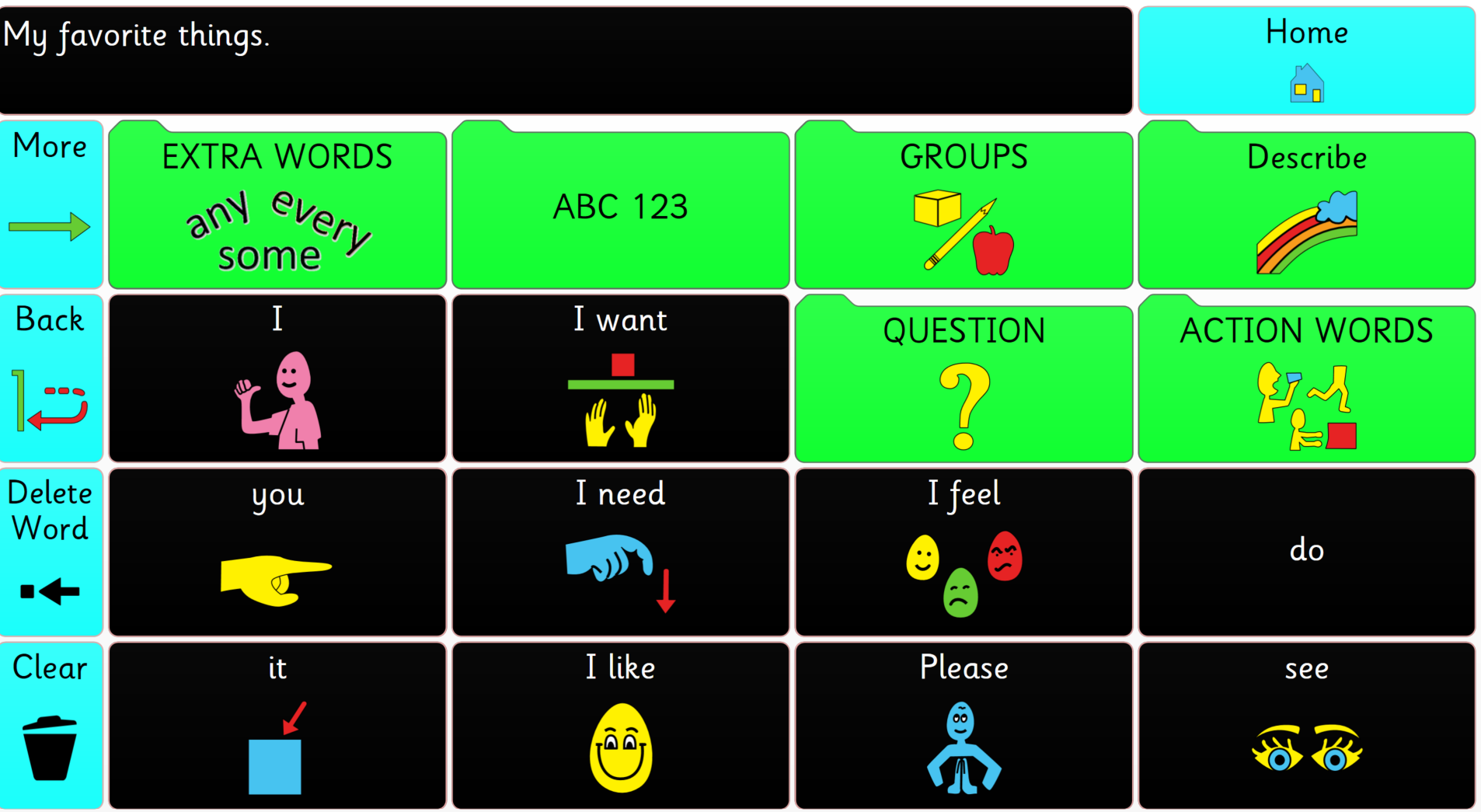
Building Blocks is set up to help individuals begin to put together sentences themselves. These sentences won’t necessarily be grammatically correct, meaning they may not have all of the “little words” or forms of words. The purpose of this section is to begin to learn how to get thoughts, wishes, and comments across in a way we can understand.
About Me and You
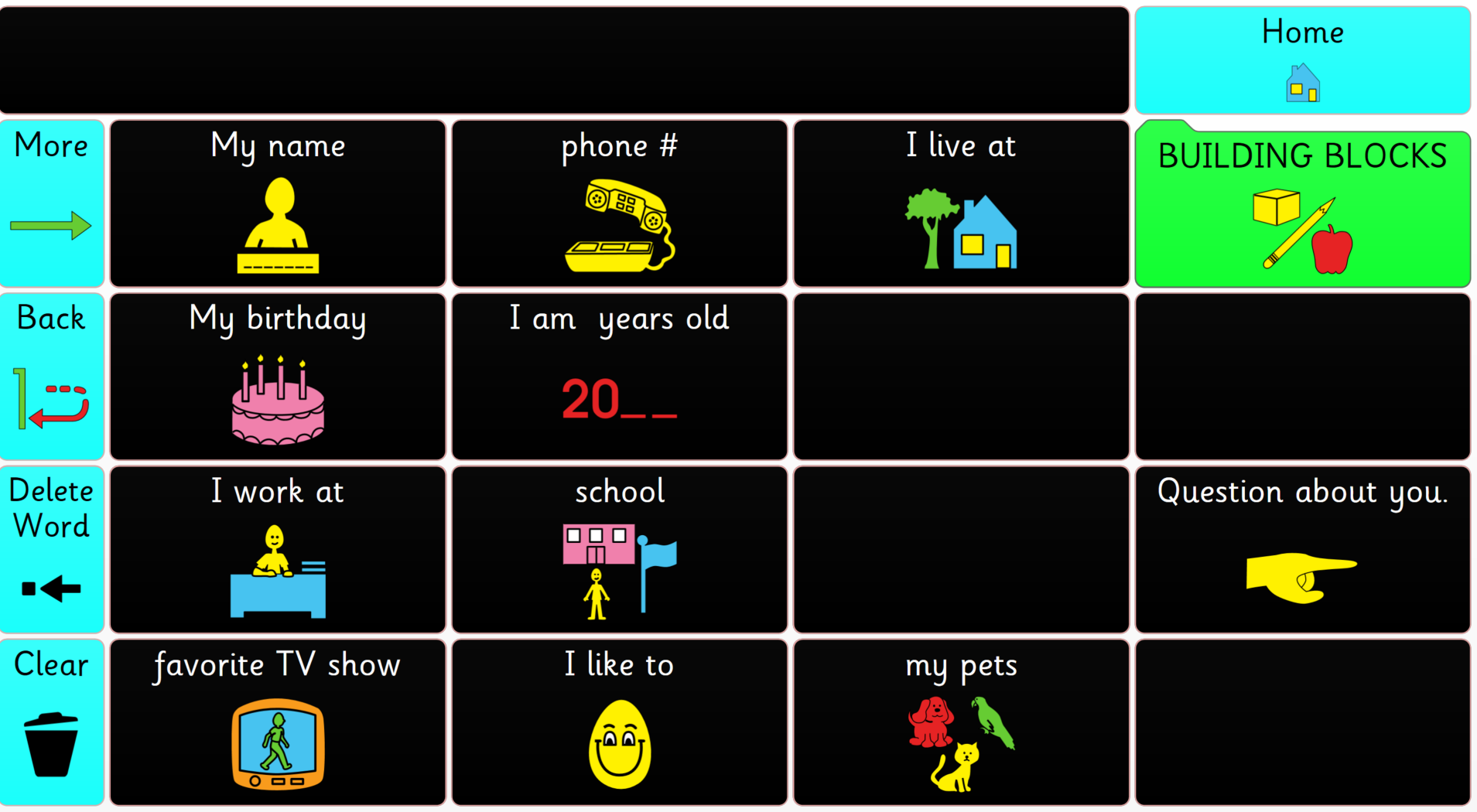
About Me and You focuses on personal facts and social communication. It allows the users to learn conversational skills by volunteering information, then asking a question.
About the Creator of this Page Set
Belva Holman, B.A. ED., ATP/ATACP, created these pages while employed as the Clinical Support Specialist & Regional Consultant at Control Bionics. She has years of experience working in special education and product development and is passionate about helping clients customize vocabulary and better use their devices.
Feedback
Have feedback about these pages? Let us know you thoughts, we’re constantly looking to improve our offerings to our users.