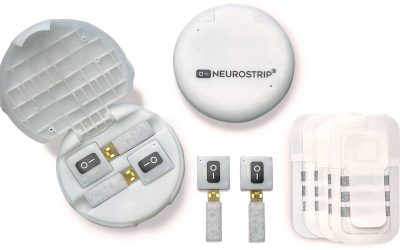
Scanning is a method of choosing an item on a communication device using a switch. Generally, items are highlighted visually on the screen one at a time. When the desired item is highlighted, the individual activates the switch.
Just like there are different types of switches (including the NeuroNode), there are different types of scanning. Communication software programs have different names for different scanning patterns and sometimes it is easier to see the differences than just read about them. In this video, we show 9 different scanning options in the Grid 3 software. Watch to see what they look like!
0:00 Linear (horizontal) scan with auditory prompting: The software highlights each cell left to right, speaking the cell label or other specific message. Once the software finishes the row, it will go down to the next row and start again
0:10 Linear (vertical) scan with auditory prompting: The software highlights each cell top to bottom, speaking the cell label or other specific message. Once the software finishes the column, it will go to the next column and start again
0:21 Row – Column scan with auditory prompting: The software highlights the entire row top to bottom, speaking the row label or other specific message. Once the user selects a row, it highlights each cell until a selection is made
0:29 Column – Row scan with auditory prompting: The software highlights the entire column left to right, speaking the column label or other specific message. Once the user selects a column, it highlights each cell until a selection is made
0:45 Block – linear scan with auditory prompting: The software highlights a block of cells and says the speaking the name of the block or other specific message. Once the user selects a block, it highlights each cell until a selection is made
0:53 Block – Row – Column scan (no auditory prompting): The software highlights a block of cells. Once the user selects a block, it highlights each row, then each cell
1:05 Block – Column – Row scan (no auditory prompting): The software highlights a block of cells. Once the user selects a block, it highlights each column, then each cell
1:23 Linear (horizontal) step scanning (two switches): The user goes through the cells horizontally using a switch, then uses a second switch to select
1:29 Block – Column step scanning (two switches): The user goes through blocks using a switch, then uses a second switch to select